SnipMark vs. CleanShot X and Shottr: choosing a screenshot workspace
Mac screenshot apps range from cloud-connected screen recorders to ultra-fast single-Mac utilities—yet almost none follow you to iPhone and iPad when you need to stitch chat threads or blur private details on mobile. Here is how SnipMark compares honestly with CleanShot X and Shottr.
SnipMark · macOS 14+ and iOS / iPadOS 17+ (Universal Purchase)
Pricing, renewals, and Apple device coverage
SnipMark is free for core markup (up to 3 images per session with a small watermark) and offers a $9.99 one-time Pro unlock via Apple Universal Purchase—covering Mac, iPhone, and iPad from one App Store purchase with no annual update renewal.
CleanShot X costs $29 on Mac (includes one year of updates; optional annual renewal or $8–$10/month Pro Cloud plans; also in Setapp) and supports macOS only. Shottr is free with a voluntary lightweight upgrade on macOS only.
Privacy, on-device Auto-Redact, and workflows
SnipMark has no cloud storage, no accounts, and zero third-party analytics: every capture, annotation, compression, and export stays 100% offline on your device. Its on-device Auto-Redact detects sensitive text locally so you can blur or pixelate phone numbers and emails before sharing—see our iPhone privacy redaction guide.
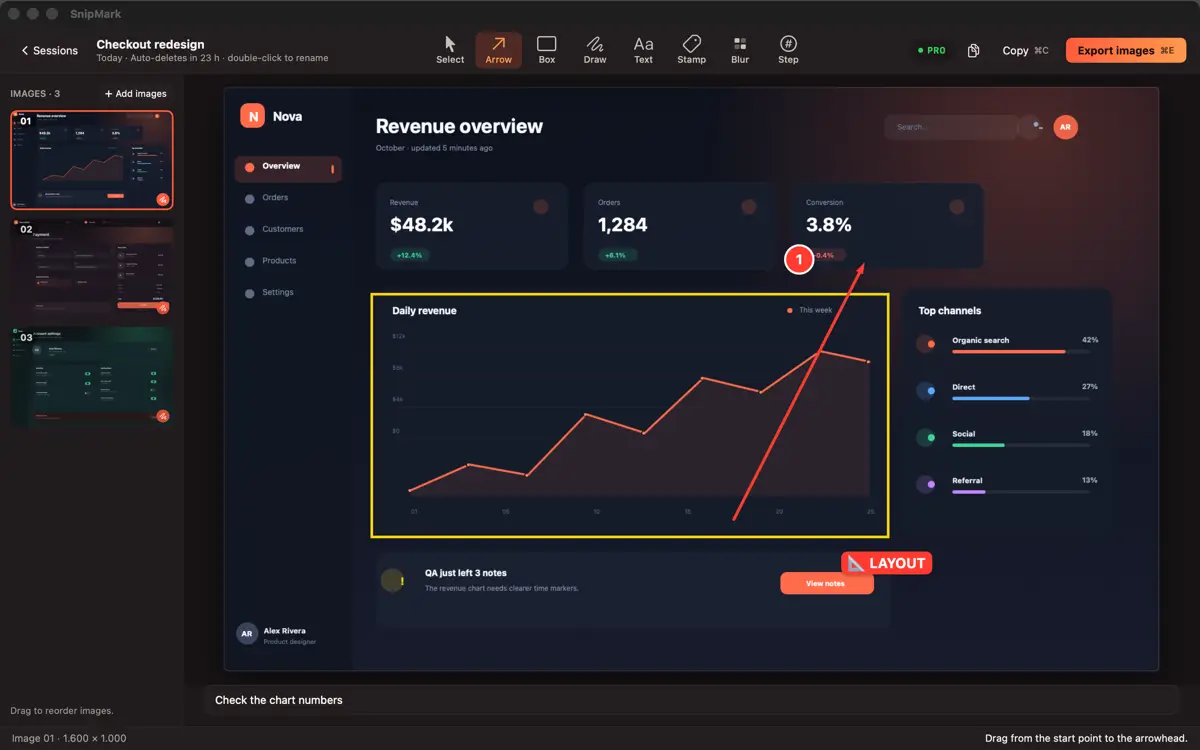
Across both Mac and iPhone, SnipMark groups related shots into a session so you can annotate numbered steps, apply custom stamps, batch rename with templates, join images with Long stitch, or export a single Merged PDF.
Where CleanShot X and Shottr shine instead
Choose CleanShot X if your daily workflow depends on screen video recording, GIF capture, hiding desktop icons automatically, or instant shareable cloud links for a team.
Choose Shottr if you only work on Mac, want an ultra-lightweight menu bar tool with on-screen pixel rulers and built-in OCR text recognition, and do not need iOS Share Sheet markup or multi-page PDF sessions.
When SnipMark is the better fit
Choose SnipMark if you review bug reports, invoices, or chat screenshots across both Mac and iPhone/iPad, want automatic on-device redaction plus Long stitch and Merged PDF in one session, and prefer a $9.99 one-time native app with zero cloud uploads. See full platform details on the SnipMark product page or visit SnipMark support.