
DiskLuma vs. CleanMyMac, DaisyDisk, and OmniDiskSweeper: which Mac storage tool fits?
Mac storage cleaners take very different approaches: some bundle malware scanning and background maintenance behind an annual subscription, while others visualize folders visually or list raw directory sizes. This comparison sets out pricing, safety rules, and developer-cache handling side by side so you can pick the tool that matches how you manage your Mac.
DiskLuma · macOS 12+ (Mac App Store and Direct DMG)
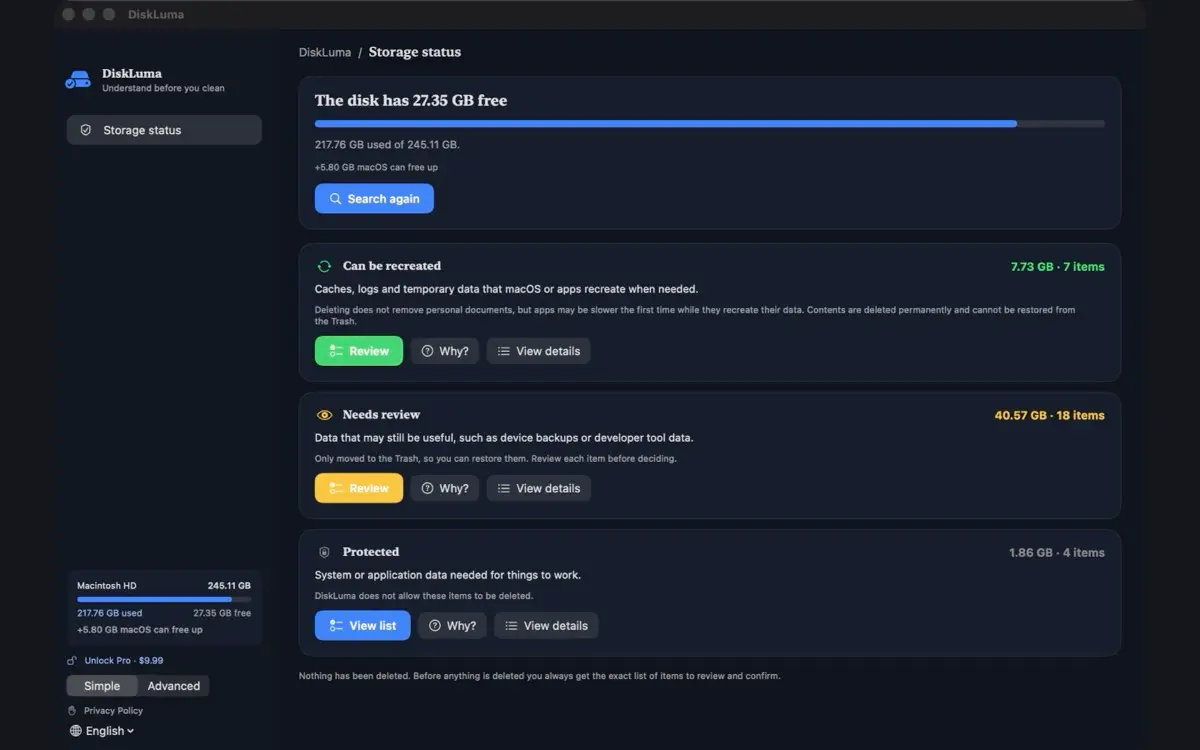
Pricing and license terms at a glance
DiskLuma has a free scan tier and a $9.99 one-time Pro upgrade with no subscription—choose the Direct DMG license (up to 5 personal Macs, transferable) or the Mac App Store edition (Apple Family Sharing). DaisyDisk also uses a simple $9.99 one-time license, though its free trial restricts in-app file deletion until unlocked.
CleanMyMac focuses on annual subscriptions starting around $39.95/year per Mac (or roughly $119.95 for a single-version perpetual license, or via Setapp). OmniDiskSweeper is completely free and minimal, offering a plain size-sorted column browser with no safety grouping.
Safety architecture: review before removal vs. one-click suites
DiskLuma is built around explicit confirmation: every item is sorted into Can Be Recreated (caches and logs macOS or tools rebuild), Needs Review (moved to the Trash so you can restore it), and Protected (kept out of cleanup). There is no opaque Smart Scan button that sweeps multiple categories together, and no background helper daemon running when the app is closed.
By contrast, CleanMyMac bundles broad system maintenance, app updating, and security utilities into one suite with Smart Care automation—convenient if you want an all-in-one optimizer, though less transparent if you prefer inspecting individual caches before anything moves. For more detail on safe categories, see our guide on what macOS System Data includes.
Tracking storage growth and developer caches (Xcode, CocoaPods, npm)
DiskLuma includes a dedicated Changes view that compares two snapshots and highlights which folders grew or shrank between scans—making it easy to spot sudden bloat in ~/Library/Developer/Xcode/DerivedData, iOS DeviceSupport, CoreSimulator, CocoaPods, Homebrew, or npm caches without guessing what filled your SSD overnight.
DaisyDisk excels at an interactive sunburst map of what is currently on disk, while OmniDiskSweeper gives you a fast, bare-metal folder tree. Neither tracks scan-to-scan folder growth nor separates recreatable build artifacts from personal archives automatically. See our walkthrough on safely clearing Xcode DerivedData and developer caches.
Which tool should you choose?
Choose CleanMyMac if you want an all-in-one suite with malware scanning, an app updater, and automated maintenance and do not mind a recurring plan. Choose DaisyDisk if you mainly want an interactive visual sunburst map to locate large personal media files at $9.99. Choose OmniDiskSweeper if you want a free, zero-frills column tree and already know which macOS paths are safe to delete.
Choose DiskLuma if you want clear plain-English explanations before anything leaves your disk, scan-over-scan Changes tracking for growing System Data and developer folders, Trash-first protection on uncertain items, and a single $9.99 one-time purchase. Explore full edition details on the DiskLuma product page or reach out via DiskLuma support.