
Deleting cache files on Mac: what is safe
Caches are the easiest space to reclaim and the easiest thing to break if you delete the wrong one. The difference is not the size of the folder but whether the app can rebuild it without losing anything you care about.
DiskLuma · macOS 12+
1. What a cache actually is
A cache is data an app stores so it does not have to fetch or compute it again: thumbnails, downloaded assets, compiled build output, index files. Removing it costs time on the next launch, not data — unless the app treats that folder as its only copy.
That exception is why "delete everything in ~/Library/Caches" is bad advice. Most of it is rebuildable; a few folders hold state an app will not recreate.
2. Caches that are normally safe
App caches under ~/Library/Caches, developer build output such as Xcode DerivedData, and package manager caches from CocoaPods, Yarn or npm are rebuilt the next time they are needed. The cost is a slower first build or first launch, and a re-download if the network is slow.
These are also the folders that grow to tens of gigabytes without anyone noticing, because nothing in the Storage panel points at them.
3. Caches that need care
Browser profiles, mail downloads, cloud sync clients and virtual machines keep working state inside folders that look like caches. Deleting them can sign you out, force a full re-download of a mailbox, or make a sync client re-upload files.
System-level caches under /Library belong to macOS. Leave them to the system: macOS manages its own caches and does not need help from a cleanup tool.
4. Check before you clear
Read the folder name and ask what the app would have to rebuild. If the answer is "an index it regenerates", it is safe. If the answer is "a login, a mailbox, or a sync state", it is not.
Do not delete inside application bundles, and read the confirmation before you clear: rebuildable caches marked safe are cleared in place and cannot be recovered from the Trash, while items moved to the Trash stay recoverable until you empty it.
5. How DiskLuma handles caches
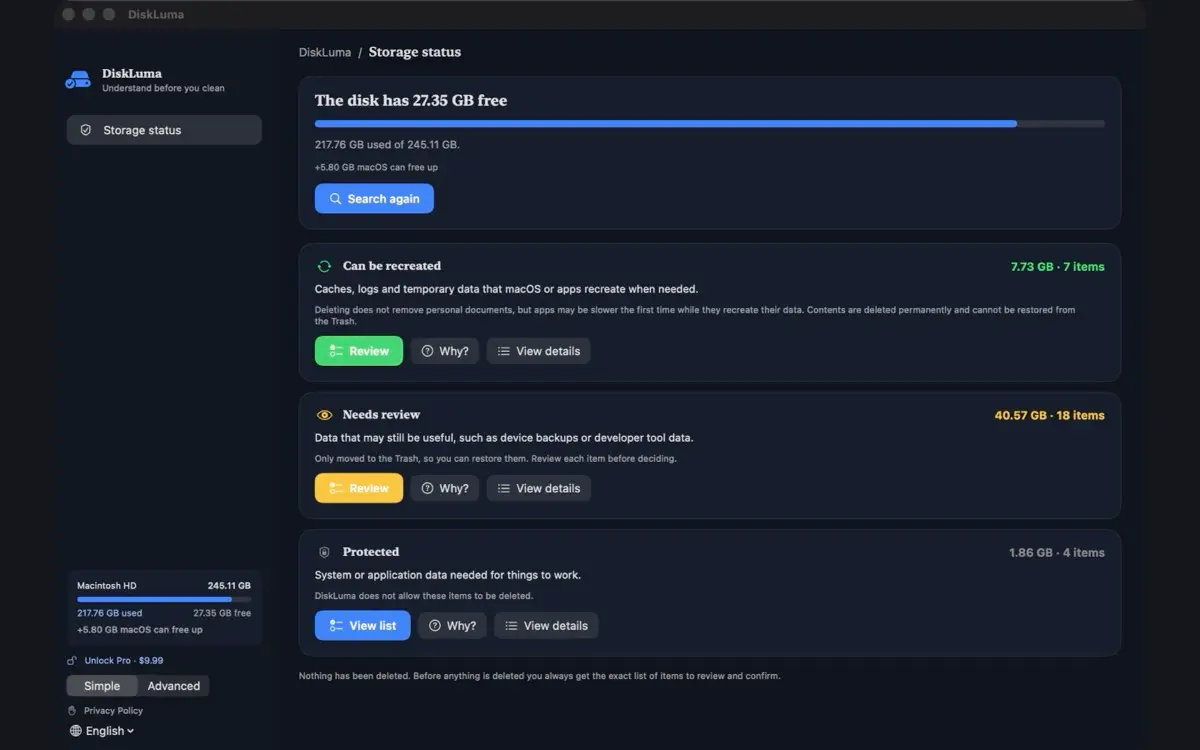
DiskLuma groups what it finds into user and app caches, developer data, logs, mail attachments, temporary files and Trash, and marks each group with how it should be treated. Read-only folders are reported rather than forced: the app tells you to clear them through the tool that created them.
The confirmation says exactly what happens: rebuildable caches, logs and developer data marked safe are cleared in place — the folders stay, their contents are permanently deleted and cannot be recovered from the Trash — while other items are moved to the Trash and only free space once it is emptied. Scanning happens on your Mac — folder names and file lists are not uploaded.
6. Confirm the space came back
After clearing, empty the Trash deliberately and compare free space in System Settings → General → Storage. If the number barely moves, the cache was smaller than it looked or something else is holding the space; the guide on space that does not return covers that case.
For the wider picture, the what to delete first guide puts caches in order with duplicates and old downloads.