
How to reduce iPhone and Mac video size on device
Online video compressors require uploading large clips over slow connections and trusting third-party servers. Processing video locally on iPhone, iPad, or Mac keeps private footage on your device while giving you predictable results.
SizeMino · iOS 18+, iPadOS 18+, macOS 15+
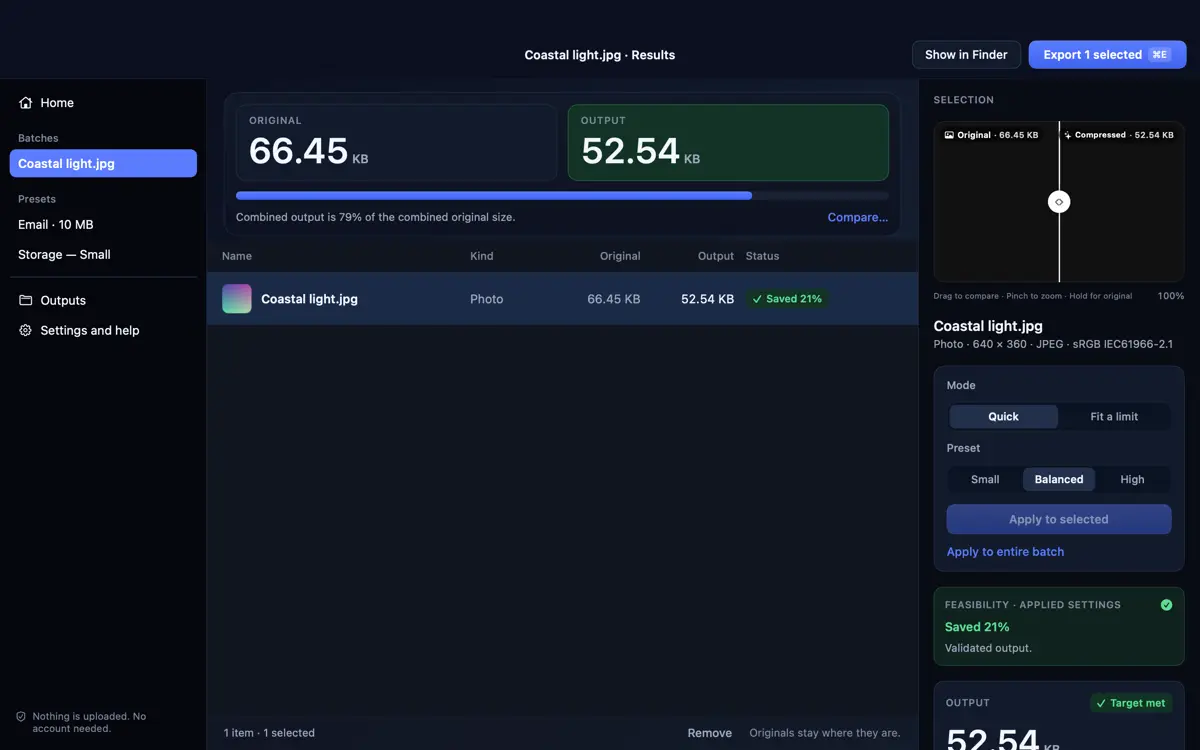
1. Start with Quick presets or a target size
For everyday sharing, choose a Quick preset—Small, Balanced, or High—when you want a sensible balance without tuning bitrates. When a platform enforces a strict attachment cap, switch to Fit a limit and set an exact MB target.
SizeMino processes items one file at a time to keep memory usage steady on mobile devices and Macs.
2. Understand resolution scaling and SDR vs HDR
Lowering resolution from 4K to Full HD (1920 px) or HD (1280 px) often reduces video bitrate requirements far more cleanly than starving 4K frames. SizeMino never upscales smaller clips.
Note on HDR: in the current SizeMino release, HDR video and photos with HDR gain maps are blocked while HDR preservation is completed. Choose standard SDR clips, or review the SizeMino support page for format limits.
3. Keep the app in front on iPhone and iPad and resume cleanly
On iPhone and iPad, keep SizeMino in the foreground during video encoding so iOS does not pause the background task. If you switch apps and processing stops partway through, completed clips remain safe, remaining clips are marked interrupted, and you can retry only the unfinished items without starting over.
On Mac, SizeMino keeps the Mac awake while a batch runs and exports clips in the exact order you added them.
4. Recompress from Results and export only verified savings
If a clip is already efficiently encoded and compression makes it larger, SizeMino preserves the original cleanly instead of saving a bigger copy (unless you explicitly requested a smaller pixel resize). Want to drop down from 4K to 1080p or tighten an MB cap? Adjust settings right from Results and SizeMino re-encodes fresh from your untouched original.
Explore the SizeMino overview, how to hit strict upload size limits, or read how to batch resize and compress photos.